Real-time progress
Working on a goal like losing weight? Bot follows you as the day unfolds — meals, movement, and progress stay synced with what you actually logged. Nothing is invented for a prettier dashboard.
Built for people who are tired of fake fitness dashboards.
NFL BOT
This page walks you through the app the way you’d explain it to a friend — what each screen does, what Bot listens for, and why an empty diary on day one is intentional.
Bot
Say “hey bot” — mouth moves when Bot talks
Say “hey bot”
No steps yet · First glass of water keeps Bot honest
Why this exists
NFL BOT does the opposite. Open it fresh and the diary is blank, the streak is zero, and Bot has nothing clever to say about calories you didn’t eat. That is not a bug — it is the product rule: if a number is on screen, you put it there (or your watch / phone sensors did).
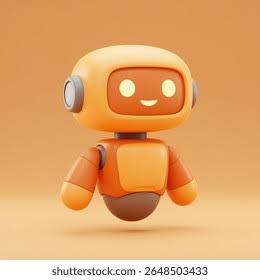
Bot is a cartoon coach with a moving head and mouth. You wake him with “hey bot”, ask about food, training, water, sleep, or the walk you just tracked on the map. He answers from your logs. Wellness guidance only — not a doctor.
The promise
Like a coach in your pocket: NFL BOT follows your goal in real time, tells you what to eat (protein and vitamins), adapts when you skip or overeat, and turns that into gym time — or a sport you actually enjoy.
Working on a goal like losing weight? Bot follows you as the day unfolds — meals, movement, and progress stay synced with what you actually logged. Nothing is invented for a prettier dashboard.
Bot tells you what to eat next: protein amounts, vitamin focus, and daily targets — grounded in your remaining calories and logs, not a frozen sample menu. Open Body Coach in the app for concrete plate suggestions.
Skip breakfast or go over your target and Bot updates the plan. You get catch-up plates or lighter alternatives — calm adjustments, not guilt.
From what you ate, Bot estimates how long to train and which exercise types fit — strength, cardio, mobility — like a real coach reading your fuel for the day.
Prefer swimming or dancing to the gym? Tell Body Coach the sports you like. Bot can suggest those activities when they match your goal and today’s intake.
“It’s like a coach.”
Say hey bot — food, recovery, and training in one loop.
How it works — full walkthrough
Follow the steps below. Each one shows what you see on the phone and what happens behind it.
The home tab greets you by name. In the center sits Bot — floating, blinking, waiting. Under him you get a Bot briefing built only from what already exists today (steps, water, meals, streak). If nothing exists yet, the copy says so plainly.
Say “hey bot”
Open the Bot tab (or the live stage). Bot fills most of the screen. Say the wake phrase out loud, or tap Talk. While Bot speaks, the mouth opens and closes; while he thinks, the head turns; while he listens, he leans in.
Bot
Mouth moves while talking
Tap Add or Scan meal. Take a photo of your plate. The vision pipeline suggests foods and macros. Nothing is saved until you confirm. That confirmed meal becomes Diary fuel — and Bot can finally talk about your day with real numbers.
Camera → analyze → confirm → Diary
From Today or You: log water for the day and for the workout session, start a GPS track on the map (route line + km + steps), and log sleep hours/quality. Each of these feeds readiness and the daily briefing.
Water
Open Form demos (You or Train). You get a black stage with a human figure, blue glow on working muscles, a carousel of moves, set dots, and a LOG SET button — same pattern as a serious training coach app, not a vague GIF library.
The You hub is where the quieter tools live: readiness score (sleep + water + steps), mood check-in, reminders, progress photo notes, weekly calorie bars, and a rebuilt Account screen (profile, coach voice toggles, goals, watch, permissions).
Readiness · Mood · Reminders · Recap · Account
Wake Bot → log something real (meal, water, walk, set, sleep, mood) → Bot briefings and answers update from that data → streak grows only on active days.
Live phone gallery
Auto-rotates. Tap a label to hold a screen. These are the same dark-bronze layouts as the Flutter app.
Say “hey bot”
Your real day, summarized
Bot
Water
Get it on your phone
Once published, open the site from any phone at https://arnold-rg.github.io/nfl-bot/ — no App Store required for the web demo. Scan the QR below.
Scan with your phone camera
Attached web app
Desktop Chrome works best for mic and camera. On phone, prefer the Flutter install or the LAN site above.
Call Bot when you need him. Feed him real data. Ignore the fake dashboards everywhere else.
Back to the walkthrough